A zero-downtime deployment in Dokploy comes down to two config blocks and one rule: give your app a health route, set the Docker Swarm update order to start-first, and let Swarm keep the old container serving traffic until the new one passes its health check. Dokploy ships on Docker Swarm with Traefik in front, so the capability is built in. It just stays off until you add the health check and the update config yourself. This guide gives you the exact JSON, explains why it closes the downtime window, and covers the one case the official docs leave out: database migrations.
Everything here is current for Dokploy v0.31.4, released on November 17, 2026. If you have not stood up Dokploy yet, start with our Dokploy VPS setup guide and come back once your first app deploys.
What zero downtime actually means here
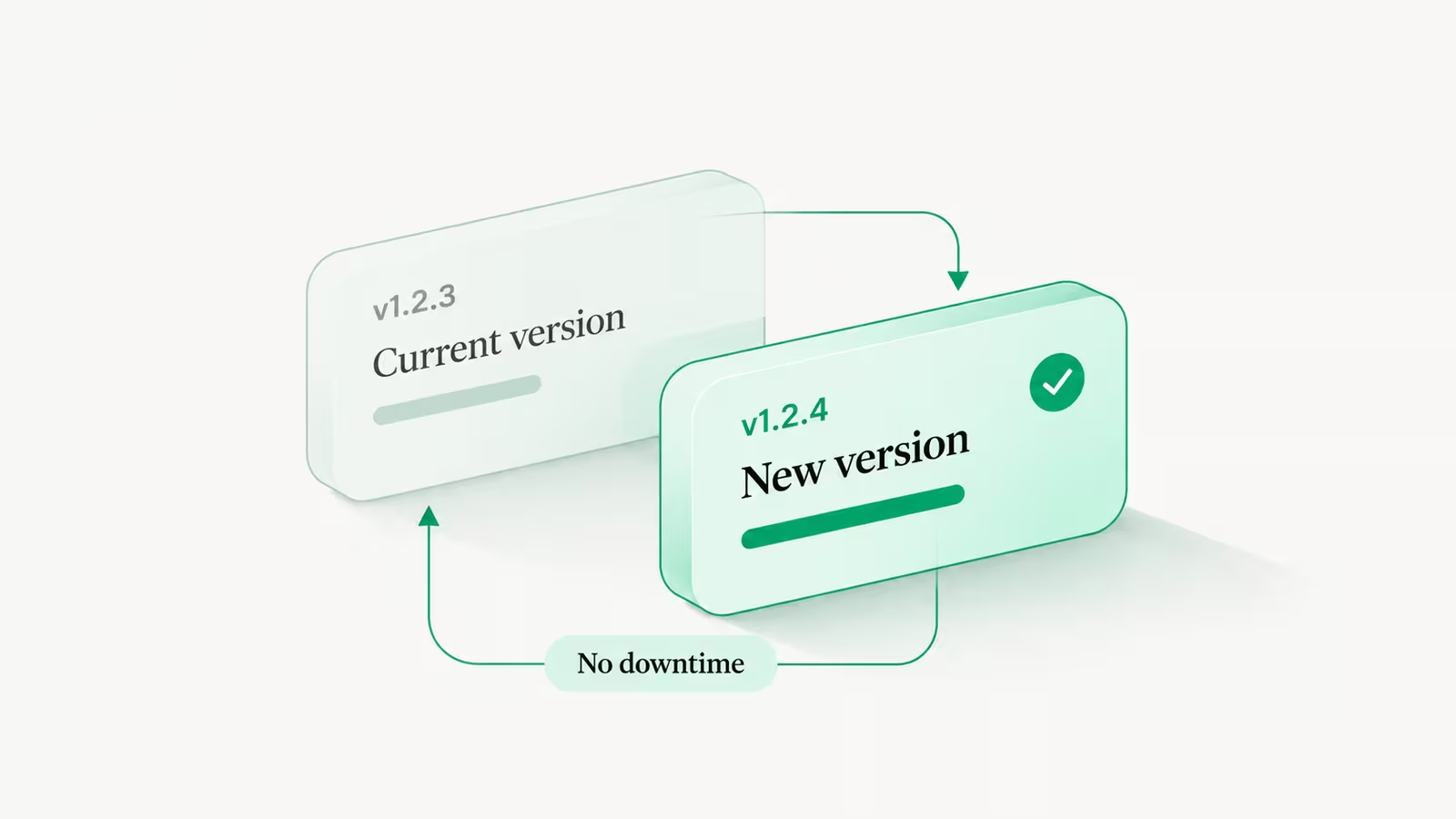
Dokploy runs every app as a Docker Swarm service, and Swarm already knows how to replace a service without dropping it. The question is whether it waits for the new version to be ready before it kills the old one. By default a plain redeploy can stop the running container and start the new image in its place, which leaves a gap where Traefik has nothing healthy to route to. That gap is your downtime. A zero-downtime deployment changes the update order so Swarm starts the new container first, waits for it to report healthy, shifts traffic, and only then stops the old one. Two things have to be true for that to work: your container must expose a health check Swarm can poll, and the service update config must use start-first instead of the default stop-first behavior.
Step 1: give your app a health route
Dokploy's rollback and zero-downtime features both depend on a health check, and the docs are blunt about the prerequisites: "Have a /health endpoint in your application" and have curl available inside the container. The route does not need to be clever. It should return a 200 status code only when the app can actually serve requests, which for most stacks means the process is up and the database connection is live. A Node app can answer /health with a plain 200, a Rails app can expose /up, and a Go service can return http.StatusOK. If your base image is alpine or distroless and has no curl, add it in your Dockerfile or switch the health test to a tool you do have, such as wget. A health check that cannot run is treated as unhealthy, and that blocks every deploy.
Step 2: add the health check config
In the app's Advanced settings, under Swarm Settings, Dokploy exposes a Health Check field that takes raw JSON. This is the block from the Going Production docs:
{
  "Test": ["CMD", "curl", "-f", "http://localhost:3000/health"],
  "Interval": 30000000000,
  "Timeout": 10000000000,
  "StartPeriod": 30000000000,
  "Retries": 3
}
The times are in nanoseconds, which trips up almost everyone the first time. 30000000000 is 30 seconds, 10000000000 is 10 seconds. So this config polls /health every 30 seconds, gives each probe 10 seconds to answer, waits 30 seconds after the container starts before counting failures, and marks the container unhealthy after 3 consecutive failures. Match the port and path to your app. The StartPeriod matters most for slow boots: set it longer than your real cold-start time, or Swarm will kill a container that was simply still warming up.
Step 3: switch the update order to start-first
The health check alone does not give you zero downtime. You also need the Update Config block, in the same Swarm Settings panel, set to start the replacement before retiring the current container:
{
  "Parallelism": 1,
  "Delay": 10000000000,
  "FailureAction": "rollback",
  "Order": "start-first"
}
"Order": "start-first" is the setting that does the work. It tells Swarm to spin up the new task and wait for it to pass the health check before stopping the old one. Parallelism: 1 updates one replica at a time, so even with a single replica you never have zero healthy containers. FailureAction: "rollback" ties this straight into automatic recovery: if the new version fails its health check, Swarm reverts to the previous one on its own. The docs summarize the result plainly: "when the application is getting unhealthy response from the health check, the container will rollback to the previous version".
Why start-first closes the gap
The official docs give you the JSON but never explain the mechanism, which is why people copy it and still see dropped requests. Here is the sequence. With the default stop-first order, Swarm removes the old task, then creates the new one, so there is a window where the only replica is gone and Traefik returns a 502. With start-first, Swarm creates the new task first, keeps the old one answering traffic, polls the new container's health check, and only after it reports healthy does Traefik route to it and Swarm drain the old task. Parallelism: 1 guarantees the old replica is never removed in the same step as the new one is added. The downtime window is not shortened, it is removed, because at every instant at least one healthy container is registered with Traefik.
Recreate vs rolling: pick the right strategy
| Strategy | Config | Downtime | Auto rollback | Best for |
|---|---|---|---|---|
| Recreate (default) | stop-first | Yes, a short gap per deploy | No | Stateful apps that cannot run two versions at once |
| Rolling (zero downtime) | start-first + health check | None | Yes, via FailureAction: rollback | Stateless web apps and APIs |
Most web apps and APIs want the rolling row. The Recreate pattern is the honest choice only when running two versions of the app at the same time would corrupt state, for example an app that holds an exclusive lock or writes to a single-writer file. For those, a brief maintenance gap is safer than two live versions.
Does Dokploy roll back on its own?
Yes, in two different ways, and they solve different problems. The rollbacks docs describe both. Docker Swarm automatic rollback is the one wired into the config above: a failed health check during a deploy reverts to the last working version with no action from you, which protects you from shipping a broken build. Registry-based rollback is the manual one. When you push each build to a Docker registry such as Docker Hub or GHCR, Dokploy keeps a record linked to each deployment, and you can roll back to any specific earlier version from the UI. Automatic rollback saves a bad deploy in the moment. Registry-based rollback lets you go back to a known-good image from last week. Enable both if you run anything you care about.
The part the docs skip: database migrations
This is where a copied config quietly fails, and it is an open question in Dokploy's own GitHub discussions. During a start-first deploy, the old and new versions run at the same time for a few seconds, both pointed at the same database. If your migration renames or drops a column the old version still reads, the old version starts throwing errors mid-deploy, and you get downtime from the database layer even though the container swap was clean.
The fix is the expand and contract pattern, and it has nothing to do with Dokploy specifically. Split any breaking schema change across deploys. First deploy: add the new column or table, keep the old one, and write to both. Second deploy: move reads to the new column once every running version uses it. Third deploy: drop the old column, now that nothing references it. Each step is backward compatible, so the two versions that briefly overlap during a rolling deploy never disagree about the schema. Run migrations as a separate step before the app rolls out, not inside the app's start command, so a slow migration does not trip the StartPeriod health window. And back up first, because a rollback reverts your code, not your data. Our guide to backing up Docker volumes covers the database side.
FAQ
Do I need more than one replica for zero-downtime deploys?
No. With Order: start-first and Parallelism: 1, a single-replica service still works, because Swarm starts the second container before stopping the first, so there are briefly two before there is one again. More replicas add capacity and fault tolerance, not zero-downtime capability.
Why does my Dokploy deploy still drop connections?
The usual causes are a missing or wrong health route, curl not being present in the container, a StartPeriod shorter than your real boot time, or the Update Config still on the default stop-first order. Check that the health check actually returns 200 from inside the container, then confirm the Update Config JSON contains "Order": "start-first".
What is the difference between Rolling and Recreate in Dokploy?
Rolling uses start-first to keep the old container live until the new one is healthy, giving zero downtime. Recreate stops the old container before starting the new one, which is simpler but leaves a short gap. Use Rolling for stateless apps and Recreate only when two versions must never run at once.
Does this work the same on other self-hosted PaaS tools? The concept carries over, since most rely on Docker under the hood, but the exact settings differ. If you are weighing platforms, see our Coolify deployment guide for how the same idea looks there.
Sources
- Dokploy docs, Going Production: the exact health check and update config JSON, and the statement that an unhealthy response triggers a rollback.
- Dokploy docs, Rollbacks: the two rollback types, the
/healthendpoint andcurlrequirements, and registry-based rollback prerequisites. - Dokploy GitHub Discussion #4154: the open question on zero-downtime deployment with database migrations.
- ReleaseAlert, Dokploy releases: Dokploy v0.31.4 release date, November 17, 2026.
Some links may earn us a commission at no extra cost to you.

Waqas Ahmed Waseer
Waqas Ahmed Waseer is a developer and automation builder with 8+ years shipping production systems used by 100k+ people. He builds custom multi-tenant SaaS, AI automation (n8n, LLM workflows, WhatsApp bots) and hosting infrastructure (WHM/cPanel, CloudLinux) — and is the maker of WaSphere, FlowMaticX, and the WaseerHost hosting brand. 100+ projects delivered for SMBs, agencies and funded startups.