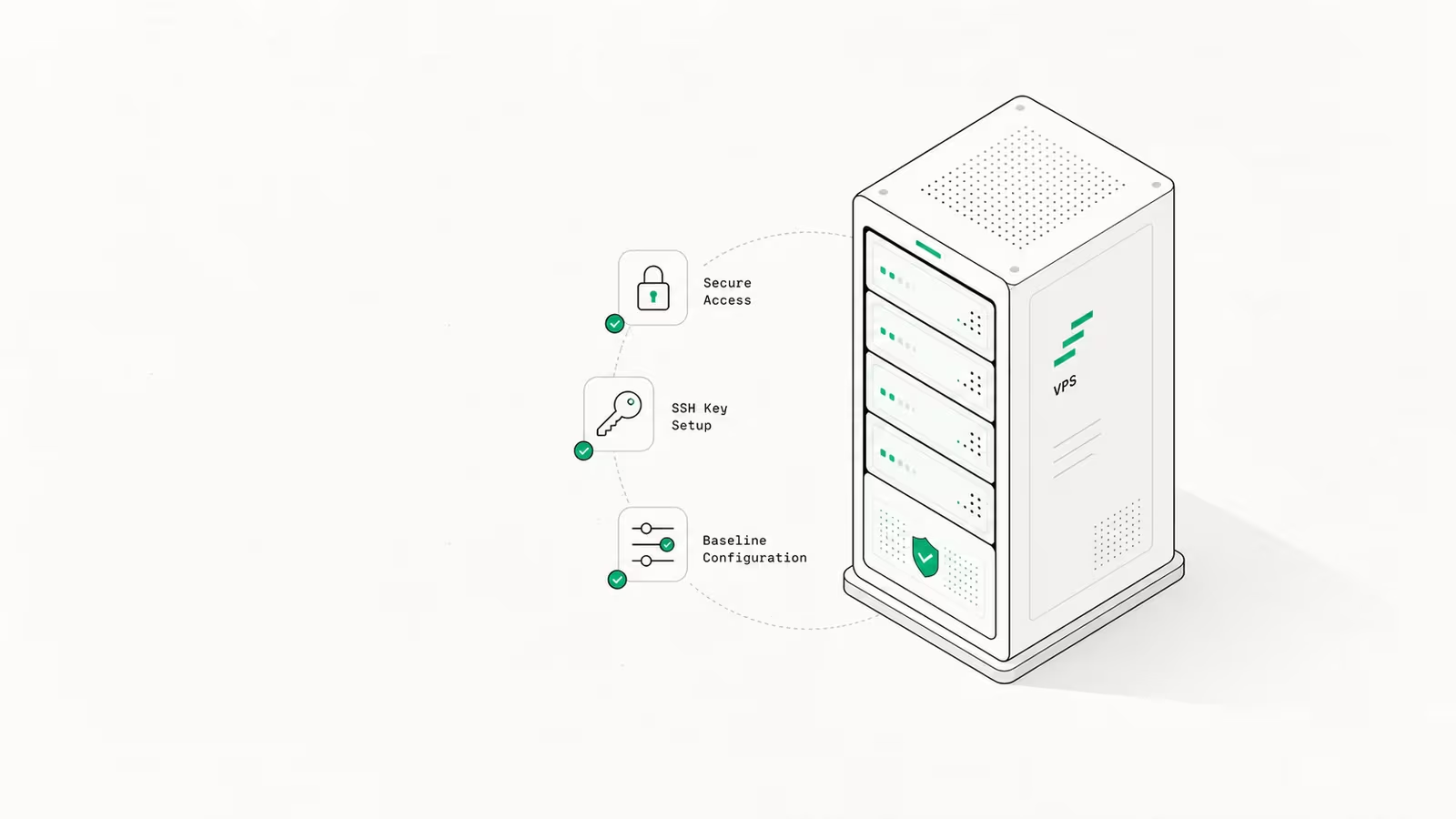
If you've just rented a virtual private server, the job in front of you is short but unforgiving: in the first hour you connect over SSH, create a non-root user, switch to key-only login, turn on a firewall, and automate security updates. Do that and your VPS is harder to break into than most production boxes. Skip it and bots will be brute-forcing root over SSH before you've finished your coffee. This guide walks the full first-hour sequence to set up a VPS, then covers the parts most tutorials skip in 2026: how to right-size the plan when RAM is expensive, and whether a VPS is even the right call for what you're building.
A VPS is a slice of a physical server with its own OS, root access, and dedicated resources. You get a blank Linux box and an IP address. Everything else is on you, which is exactly why the setup order matters.
What you need before you start
Three things, and you can have all of them in five minutes:
- A VPS from a provider — DigitalOcean, Hetzner, Vultr, OVHcloud, Linode, or any host that hands you root and an IP. After checkout you'll get an email with the server's IP address and a temporary root password (or you'll be asked to upload an SSH key during creation, which is better — do that if offered).
- An SSH client. macOS and Linux already have one in the terminal. On Windows, use the built-in OpenSSH client in PowerShell, or PuTTY.
- A plan for what the server will run — a website, an app and its database, a game server, a self-hosted tool. This decides how much RAM you buy, covered below.
Pick Ubuntu LTS (24.04) or Debian 12 as the OS unless you have a reason not to. The commands below assume a Debian/Ubuntu box; on AlmaLinux or Rocky, swap apt for dnf and ufw for firewalld.
How do you set up a VPS? The secure first-hour sequence
This is the core of it. Run these steps in order the moment the server boots. Every command is standard and reversible, and the whole sequence takes 20–30 minutes.
1. Connect over SSH. From your terminal, log in as root with the IP from your welcome email:
ssh root@your_server_ip
Accept the host fingerprint, enter the temporary password, and you're in.
2. Update everything first. Your fresh image is almost never fully patched. On Debian/Ubuntu:
apt update && apt upgrade -y
3. Create a non-root user with sudo. Working as root full-time is the single most common beginner mistake — one bad command runs with nothing to stop it. Make a normal user and give it admin rights:
adduser deploy
usermod -aG sudo deploy
4. Set up SSH key authentication. Passwords get brute-forced; keys don't. On your local machine, generate a modern key if you don't have one, then copy it to the server:
ssh-keygen -t ed25519 -C "[email protected]"
ssh-copy-id deploy@your_server_ip
Log out, then log back in as deploy to confirm the key works before the next step.
5. Disable root login and password auth. Now close the two doors attackers lean on. Edit /etc/ssh/sshd_config and set:
PermitRootLogin no
PasswordAuthentication no
Then reload SSH: sudo systemctl restart ssh. From here, the only way in is your key as the deploy user. This one change eliminates the overwhelming majority of automated SSH attacks.
6. Turn on a firewall. Allow only what you need — SSH, and web traffic if you're hosting a site:
sudo ufw allow OpenSSH
sudo ufw allow 80
sudo ufw allow 443
sudo ufw enable
7. Add Fail2Ban. It watches your logs and temporarily bans IPs that hammer SSH:
sudo apt install fail2ban -y
sudo systemctl enable --now fail2ban
8. Automate security updates. A server you patch by hand is a server that eventually goes unpatched. Turn on unattended security upgrades:
sudo apt install unattended-upgrades -y
sudo dpkg-reconfigure --priority=low unattended-upgrades
That's the baseline. A box with a non-root user, key-only SSH, a firewall, Fail2Ban, and auto-updates is in better shape than a surprising number of servers running real workloads. At WaseerHost, our own hosting service, this exact sequence is the non-negotiable default before anything else gets installed — it's boring on purpose.
How much RAM (and which plan) do you actually need in 2026?
This is where 2026 changes the math. Server RAM has gotten meaningfully more expensive, and that's flowed straight into VPS pricing — we covered the causes in why your VPS bill is rising in 2026. The practical effect: over-provisioning RAM "just in case" now costs real money every month, so size to the workload and scale up later.
A rough guide for picking a starting plan:
| Workload | Start with | Why |
|---|---|---|
| Static site, low-traffic blog, side project | 1 vCPU / 1 GB RAM | Plenty for Nginx + a static site or a small CMS |
| One dynamic app + its database | 2 vCPU / 4 GB RAM | Room for the app, a database, and OS caching |
| Several sites or a moderate-traffic app | 4 vCPU / 8–16 GB RAM | Headroom for multiple services and traffic spikes |
The good news: almost every provider lets you resize a VPS later, so start at the bottom of the range that fits and move up only when monitoring (step below) tells you to. Here's how a few popular entry plans compare, using each provider's published prices:
| Provider / plan | vCPU | RAM | Storage | Included transfer | Price (as published) |
|---|---|---|---|---|---|
| DigitalOcean Basic | 1 | 512 MiB | 10 GiB SSD | 500 GiB | $4/mo (Jun 2026) |
| DigitalOcean Basic | 1 | 1 GiB | 25 GiB SSD | 1 TB | $6/mo (Jun 2026) |
| DigitalOcean Basic | 1 | 2 GiB | 50 GiB SSD | 2 TB | $12/mo (Jun 2026) |
| Hetzner CX23 (EU) | 2 | 4 GB | 40 GB NVMe | 20 TB | €3.99/mo (from Apr 2026) |
| Hetzner CPX22 (global) | 2 | 4 GB | 80 GB NVMe | 20 TB | €7.99/mo (from Apr 2026) |
Notice the included transfer column, not just the price. DigitalOcean's entry plans bundle 500 GiB to 2 TB; Hetzner bundles 20 TB. If your project serves a lot of data, metered egress can quietly dwarf the base rent — the same trap we broke down in cloud egress fees in 2026. Read the bandwidth allowance before you read the headline price.
Is a VPS even the right choice in 2026?
Before you set one up, it's worth asking whether you should. A VPS gives you full control and predictable flat-rate pricing, and it's hard to beat for a single app, a personal project, or anything where you want root and no surprise bills. The trade-off is that you are now the sysadmin: patching, backups, and uptime are your job.
The alternatives each remove some of that work for a different cost:
- Managed hosting / PaaS (Render, Railway, managed WordPress) handles the OS and security for you, at a higher monthly price and less control. Good when you'd rather ship than administer a server.
- Serverless / functions (Lambda, Cloudflare Workers) scales to zero and charges per request — excellent for spiky or low-volume workloads, awkward for anything that needs a long-running process or a local database.
- A managed database alongside your VPS is often the smart middle path: run your app on the VPS, but let someone else handle Postgres backups and failover. We compared the options in the best managed Postgres providers in 2026.
If you want control, a fixed bill, and you're willing to spend the first hour above plus occasional maintenance, a VPS is the right tool. If "occasional maintenance" sounds like a chore you'll never do, a managed platform will serve you better.
Keeping it running: backups, monitoring, and updates
Setup isn't a one-time event — it's the start of owning a server. Three habits keep a VPS healthy long after the first hour:
- Backups. Most providers offer automated snapshots or backups for a small monthly add-on (often around 20% of the server price). Turn it on. A snapshot you can roll back to is the difference between a bad afternoon and a lost project. Don't rely solely on provider snapshots for irreplaceable data — also copy critical files off-site.
- Monitoring. Watch CPU, RAM, and disk so you know when to resize rather than guessing. Built-in provider graphs cover the basics; lightweight agents like Netdata or a free Uptime Kuma instance add alerts. This is also how you confirm whether the small plan you started on is actually enough.
- Updates beyond the unattended ones. Auto-updates handle OS security patches, but the software you installed — your web server, runtime, and apps — still needs periodic attention. Schedule a recurring reminder to review and update them.
None of this is glamorous, and that's the point. A well-set-up VPS is one you rarely have to think about.
FAQ
How do you set up a VPS? Connect to it over SSH using the IP and credentials from your provider, run a full system update, then secure it: create a non-root user with sudo, switch to SSH key authentication, disable root and password login, enable a firewall (UFW), and turn on automatic security updates. After that, install whatever your project needs — a web server, runtime, or database.
Is VPS hosting good for beginners? It can be, but expect a learning curve. A VPS gives you full control and no hand-holding, so you're responsible for security and maintenance. Beginners who want the control without the admin work can choose a managed VPS plan, where the provider handles patching and hardening for a higher price.
How much RAM do I need for a VPS? It depends on the workload. A static site or small blog runs comfortably on 1 GB; a single dynamic app with a database wants around 4 GB; several sites or a busy app want 8–16 GB. Start small — almost every provider lets you resize later — and scale up only when monitoring shows you're running tight.
How much does VPS hosting cost? Entry plans start around $4–$6 per month. As of mid-2026, DigitalOcean's cheapest Basic Droplet is $4/mo (1 vCPU, 512 MiB RAM), while Hetzner's cost-optimized CX23 is about €3.99/mo for 2 vCPU and 4 GB RAM with 20 TB of included transfer. Watch the bandwidth allowance as closely as the base price.
Is a VPS safer than a VPN? They solve different problems, so the comparison doesn't quite hold. A VPN encrypts and routes your internet traffic for privacy; a VPS is a server you rent to host a website or app. A VPS isn't "safe" by default — it's only as secure as you make it with the hardening steps above. (If you're weighing network security models, see zero trust vs VPN in 2026.)
Sources
- DigitalOcean — Droplet pricing: official Basic Droplet plans, RAM, and included transfer (June 2026).
- Better Stack — Hetzner Cloud Review 2026: dated Hetzner CX23/CPX22 plan specs and pricing (March 2026).
- InMotion Hosting — How to Set Up a VPS Server (2026): reference for the standard first-steps configuration sequence.
- Krystal — Beginner's guide to setting up a VPS: reference for plan selection and basic hardening steps.
- PuTTY: the common SSH client for Windows users.
Some links may earn us a commission at no extra cost to you.

Waqas Ahmed Waseer
Waqas Ahmed Waseer is a developer and automation builder with 8+ years shipping production systems used by 100k+ people. He builds custom multi-tenant SaaS, AI automation (n8n, LLM workflows, WhatsApp bots) and hosting infrastructure (WHM/cPanel, CloudLinux) — and is the maker of WaSphere, FlowMaticX, and the WaseerHost hosting brand. 100+ projects delivered for SMBs, agencies and funded startups.