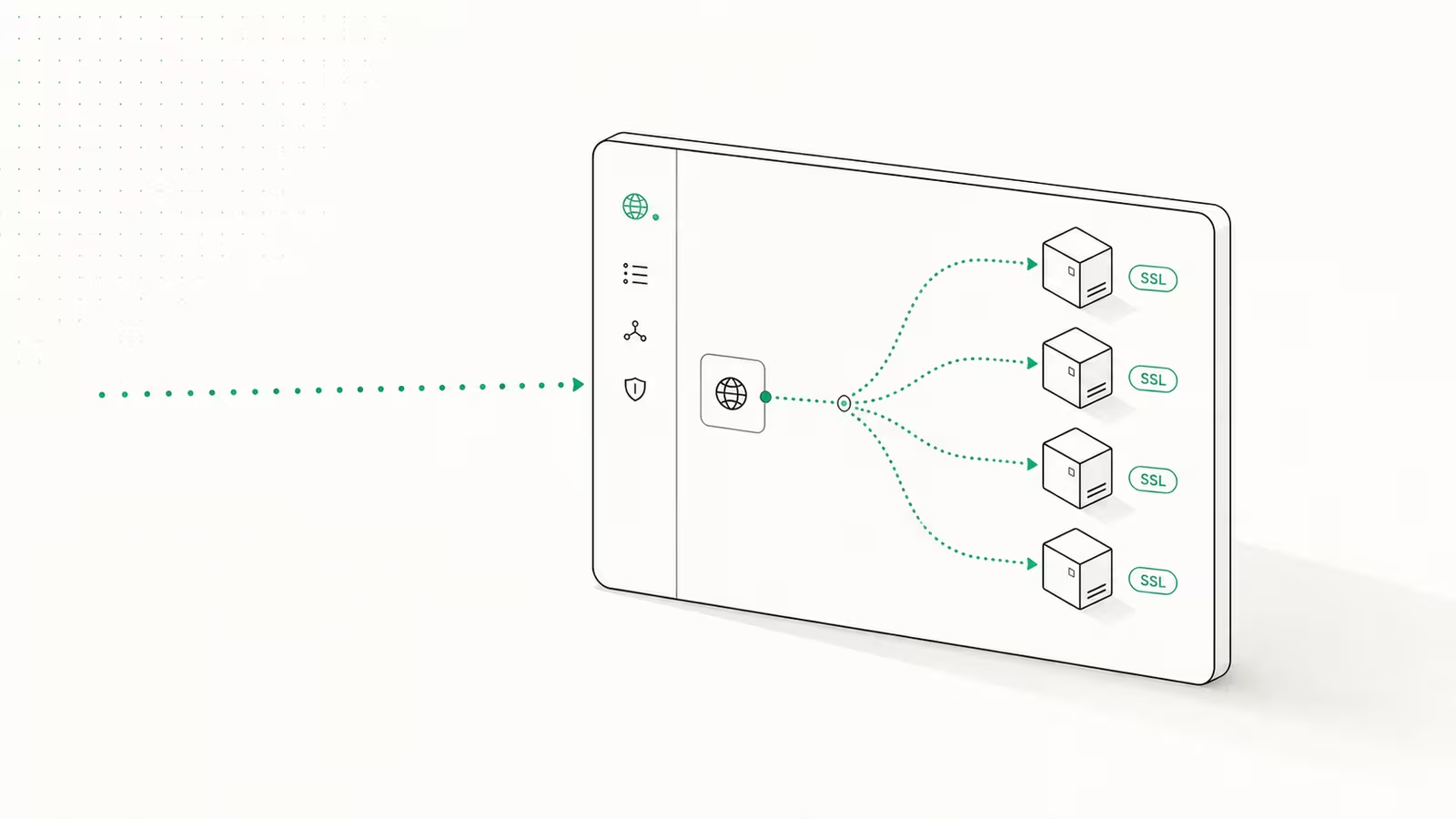
Nginx Proxy Manager (NPM) is a free, open-source web UI that puts a friendly dashboard in front of Nginx, so you can point a domain at any self-hosted app and get an automatic Let's Encrypt certificate without ever touching a config file. To set it up you run one small Docker Compose file, open the admin panel on port 81, add a "proxy host" that maps app.yourdomain.com to a container's internal address, and request SSL with two clicks. This guide walks the full path — install, first login, your first proxy host, free HTTPS, and the two errors that trip up almost everyone — and shows where NPM is the right tool versus Caddy or a Cloudflare Tunnel.
What is Nginx Proxy Manager?
Nginx Proxy Manager is a Docker image that wraps Nginx and a web dashboard so you can manage reverse proxies and SSL certificates from a browser instead of editing nginx.conf. It is released under the MIT license and maintained by developer jc21, and the official docs describe it as a way to "forward to your websites running at home or otherwise, including free SSL, without having to know too much about Nginx or Let's Encrypt." It handles domain forwarding, redirects, 404 hosts, and raw TCP/UDP streams, issues free certificates through Let's Encrypt, and supports access lists, HTTP basic auth, and multiple users with an audit log. If you self-host several services on one server and want a point-and-click way to give each a clean subdomain with HTTPS, NPM is built for exactly that job.
Before you start
You need three things: a server with Docker and Docker Compose installed, a domain name, and DNS records pointing at your server's public IP. NPM runs anywhere Docker does — a VPS, a home server, or a Raspberry Pi (amd64 and arm64 are supported; 32-bit armv7 was dropped in the 2.14 release). Create an A record for each service you want to expose, for example npm.yourdomain.com and nextcloud.yourdomain.com, both pointing to the same IP; NPM decides where traffic goes based on the hostname. Make sure ports 80 and 443 are open in your firewall so Let's Encrypt can validate certificates and visitors can reach your sites. If you have not locked the box down yet, do that first — our secure-first-hour VPS guide covers the firewall and SSH steps NPM assumes are already in place.
How to install Nginx Proxy Manager with Docker Compose
Create a folder, drop in a docker-compose.yml, and start it. Recent versions bundle SQLite, so you no longer need a separate MySQL container for a basic setup — this is the minimal, current configuration from the official setup instructions:
services:
  npm:
    image: 'jc21/nginx-proxy-manager:latest'
    restart: unless-stopped
    ports:
      - '80:80'     # public HTTP
      - '443:443'   # public HTTPS
      - '81:81'     # admin UI — keep this off the public internet
    volumes:
      - ./data:/data
      - ./letsencrypt:/etc/letsencrypt
Then bring it up:
docker compose up -d
The first launch takes a minute or two while NPM generates its JWT keys, initializes the database, and creates the default admin user. The current stable line is the 2.15.x series; pinning a version tag instead of latest (for example jc21/nginx-proxy-manager:2.15.1) makes upgrades deliberate rather than automatic. The two volumes are the only state that matters — ./data holds your hosts and settings, ./letsencrypt holds your certificates — so backing up those folders backs up your entire NPM setup.
First login and locking down the admin panel
Open http://your-server-ip:81 and sign in with the default credentials the docs ship: email [email protected], password changeme. NPM forces you to set a real email and a strong password immediately — do it, because port 81 is an unauthenticated admin surface until you do. The single most important hardening step is to never expose port 81 to the public internet. Bind it to localhost or a private interface, reach it over a VPN or SSH tunnel, or restrict it with a firewall rule; if you use Tailscale or a similar mesh, put the admin UI on that interface only. Publishing the dashboard on a public IP is the most common NPM mistake and hands an attacker your whole routing table. Ports 80 and 443 are meant to face the world; 81 is not.
How to add your first proxy host
A proxy host is a single rule that maps a public hostname to an internal service. In the dashboard, open Hosts → Proxy Hosts → Add Proxy Host and fill four fields: the Domain Name (nextcloud.yourdomain.com), the Scheme (http or https), the Forward Hostname/IP, and the Forward Port. The critical detail: the forward hostname is the target container's name or private IP as seen from inside Docker, not localhost. If NPM and your app share a Docker network, use the container name (nextcloud) and its internal port (80). Enable Block Common Exploits, and switch on Websockets Support for anything real-time — dashboards, chat apps, live-reload tools — or they will silently fail to connect. Save, and NPM writes the Nginx config and reloads in the background. Repeat this once per service; each subdomain becomes a tidy, individually managed entry in the list.
Adding free SSL with Let's Encrypt
Open the proxy host's SSL tab, choose Request a new SSL Certificate, tick Force SSL and HTTP/2, agree to the Let's Encrypt terms, and save. NPM completes the Let's Encrypt HTTP-01 challenge over port 80, installs the certificate, and auto-renews it before expiry — no cron jobs, no certbot commands. For a wildcard certificate (*.yourdomain.com) you must use a DNS challenge instead, because Let's Encrypt will not issue wildcards over HTTP. In the SSL tab, toggle Use a DNS Challenge, pick your provider (Cloudflare is the common choice), and paste an API token scoped to edit that zone's DNS — Cloudflare's own API-token guide walks through creating one with Zone:DNS:Edit. One wildcard cert then covers every subdomain, so you are not issuing a new certificate for each app. This built-in, auto-renewing SSL is the single biggest reason people pick NPM over hand-rolled Nginx.
Nginx Proxy Manager vs Caddy vs Cloudflare Tunnel
NPM is not the only way to get a reverse proxy with automatic HTTPS. The right pick depends on whether you want a GUI, a config file, or no open ports at all.
| Tool | Config style | Automatic HTTPS | Open ports needed | Best for |
|---|---|---|---|---|
| Nginx Proxy Manager | Web GUI | Yes (Let's Encrypt) | 80, 443 | Homelabs and teams who want click-to-configure |
| Caddy | Text file (Caddyfile) | Yes (built-in) | 80, 443 | People comfortable in a terminal who want config in Git |
| Cloudflare Tunnel | Cloudflare dashboard | Yes (Cloudflare edge) | None (outbound only) | Exposing apps behind CGNAT or without a public IP |
Choose NPM when you value a visual dashboard and manage more than a couple of hosts. Prefer Caddy if you would rather keep a version-controlled config file than click through a UI. Reach for a Cloudflare Tunnel when you cannot open inbound ports at all — behind CGNAT, a locked-down home network, or a residential ISP. Many self-hosters run NPM and a tunnel together: the tunnel gets traffic to the box, NPM routes it to the right container.
Troubleshooting: 502 Bad Gateway and failed certificates
Two problems account for most NPM support threads. A 502 Bad Gateway almost always means NPM cannot reach the app at the address you gave it. The fix is networking, not NPM: the target container and NPM must share a Docker network, and the forward hostname must be the container name with its internal port — not localhost, 127.0.0.1, or the host's public IP, none of which resolve to the right place from inside NPM's container. Put both services on the same external Docker network and reference the app by name.
A failed SSL certificate usually comes down to reachability: the domain's DNS must already point to your server, and port 80 must be open and forwarded so Let's Encrypt can complete the HTTP challenge. If the domain sits behind Cloudflare's orange-cloud proxy, the HTTP-01 challenge can fail — either switch that record to DNS-only during issuance, or use the DNS challenge method instead. Rate limits also apply: Let's Encrypt caps certificates per domain per week, so stop retrying a broken request and fix the root cause first.
FAQ
Is Nginx Proxy Manager free? Yes. It is fully open source under the MIT license with no paid tier or feature gating. The only cost is the server you run it on, and the Docker image itself is free to pull and use commercially.
What is the default login for Nginx Proxy Manager?
The default admin account is email [email protected] with password changeme. NPM requires you to change both to a real email and a strong password the first time you log in, and you should never leave the defaults in place.
What ports does Nginx Proxy Manager use? It uses port 80 for HTTP, port 443 for HTTPS, and port 81 for the admin dashboard. Ports 80 and 443 should be publicly reachable; port 81 should be kept private and never exposed to the internet.
Nginx Proxy Manager vs Caddy — which is better? Neither is strictly better; they suit different people. NPM gives you a point-and-click GUI and is easier for beginners and multi-host homelabs, while Caddy uses a compact text config that is friendlier to version control and automation. Both provide automatic Let's Encrypt HTTPS.
Why does Nginx Proxy Manager show 502 Bad Gateway?
Because it cannot reach the backend app at the address configured. The container and NPM usually are not on the same Docker network, or the forward host is set to localhost instead of the container's name and internal port. Fix the Docker networking and the 502 clears.
Sources
- Nginx Proxy Manager — Full Setup Instructions — official Docker Compose, ports, and volumes
- Nginx Proxy Manager — Guide & features — feature list, admin port, and description
- Nginx Proxy Manager on GitHub — MIT license, releases, and source
- Let's Encrypt — the free certificate authority NPM uses
- Cloudflare — Create an API token — DNS-challenge token for wildcard certificates
Some links may earn us a commission at no extra cost to you.

Waqas Ahmed Waseer
Waqas Ahmed Waseer is a developer and automation builder with 8+ years shipping production systems used by 100k+ people. He builds custom multi-tenant SaaS, AI automation (n8n, LLM workflows, WhatsApp bots) and hosting infrastructure (WHM/cPanel, CloudLinux) — and is the maker of WaSphere, FlowMaticX, and the WaseerHost hosting brand. 100+ projects delivered for SMBs, agencies and funded startups.