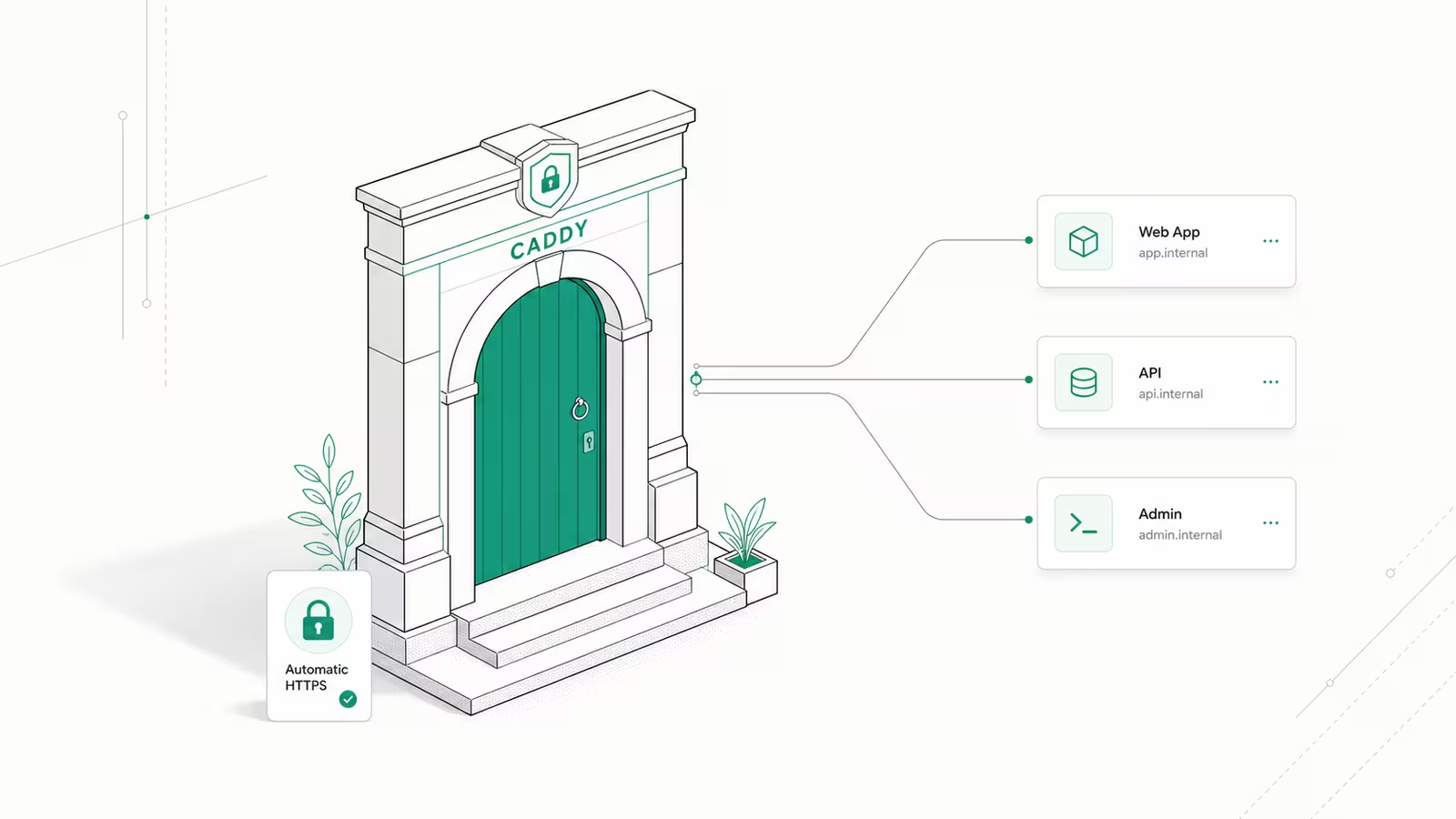
A Caddy reverse proxy puts one small, fast web server in front of your apps and gives every one of them a valid HTTPS certificate automatically, with no certbot, no cron renewals, and usually no more than three lines of config. Point a domain at your server, write example.com { reverse_proxy localhost:8080 }, start Caddy, and you have a production-ready HTTPS front door. This guide walks through installing Caddy, writing the Caddyfile, running it in Docker, and deciding when Caddy is the right reverse proxy versus Nginx, Traefik, or a Cloudflare Tunnel.
What is a Caddy reverse proxy, and why use it?
A reverse proxy sits between the public internet and your applications. Instead of exposing each app on its own port (the classic server-ip:8080, server-ip:3000 sprawl), the proxy listens on ports 80 and 443, terminates TLS, and routes each incoming request to the right backend based on the hostname or path. That gives you clean URLs, a single place to manage certificates, and one choke point for security headers and rate limits.
Caddy stands out because automatic HTTPS is on by default: if it knows your domain name, it provisions and renews a Let's Encrypt or ZeroSSL certificate for you, then keeps renewing it forever. Nginx and Traefik can do this too, but Caddy needs the least configuration to get there. As XDA put it, Caddy is "a really easy way to get SSL certs for your self-hosted apps", which is exactly the job most people want a reverse proxy for.
Install Caddy on Ubuntu or Debian
On a fresh Ubuntu or Debian VPS, install Caddy from its official apt repository. These are the current commands from the Caddy docs:
sudo apt install -y debian-keyring debian-archive-keyring apt-transport-https curl
curl -1sLf 'https://dl.cloudsmith.io/public/caddy/stable/gpg.key' | sudo gpg --dearmor -o /usr/share/keyrings/caddy-stable-archive-keyring.gpg
curl -1sLf 'https://dl.cloudsmith.io/public/caddy/stable/debian.deb.txt' | sudo tee /etc/apt/sources.list.d/caddy-stable.list
sudo apt update
sudo apt install caddy
Installing via apt sets Caddy up as a systemd service that starts on boot and reads its config from /etc/caddy/Caddyfile. Check the version with caddy version; as of mid-2026 the current stable release is Caddy 2.11.4 (June 2026), and recent 2.11.x releases patched security issues, including CVE-2026-27590 and CVE-2026-27589 (both fixed in 2.11.1), so run an up-to-date build rather than whatever shipped a year ago. If you would rather not touch the host at all, skip ahead to the Docker section. Before you expose anything publicly, make sure the box itself is locked down first, per our guide to the secure first hour on a new VPS.
The minimal Caddyfile: one line for automatic HTTPS
The whole point of Caddy is how little you have to write. Edit /etc/caddy/Caddyfile so it contains a site block with your real domain and the local address of the app you want to expose:
example.com {
    reverse_proxy localhost:8080
}
Reload with sudo systemctl reload caddy (or caddy reload if you run it manually) and you are done. On start, Caddy listens on ports 80 and 443, requests a trusted certificate for example.com, and routes traffic to your app on port 8080. Two things must be true for the certificate to issue: an A/AAAA DNS record for the domain must point at the server, and ports 80 and 443 must be open to the public internet so the ACME challenge can complete. For a quick local test without a domain, use localhost as the site address and Caddy installs its own self-signed certificate. Get in the habit of running caddy validate --config /etc/caddy/Caddyfile before every reload; it catches typos before they take a site down.
Proxy multiple apps and subdomains
Running several services behind one server is where a reverse proxy earns its keep. Each app gets its own block, and Caddy routes by hostname automatically, provisioning a separate certificate for every domain:
app.example.com {
    reverse_proxy localhost:3000
}

grafana.example.com {
    reverse_proxy localhost:3001
}

api.example.com {
    reverse_proxy localhost:5000
}
You can also split by path within one domain using a handle_path or route block, which is handy when an app should live at example.com/api rather than its own subdomain. Caddy handles WebSocket upgrades automatically, so real-time apps work without extra directives, and since Caddy 2.11 it automatically rewrites the upstream Host header for HTTPS upstreams, removing a common source of "it works on port 8080 but not through the proxy" bugs. This subdomain-per-app pattern pairs naturally with a fleet of small services, the kind covered in our walkthrough on self-hosting your apps on a VPS.
Caddy in Docker with Docker Compose
Most self-hosters run Caddy in a container alongside the apps it fronts. The official caddy image makes this a few lines of Compose. The one detail people miss is the caddy_data volume: it stores your issued certificates, and without it every container restart re-requests certs and can trip Let's Encrypt rate limits.
services:
  caddy:
    image: caddy:2.11
    restart: unless-stopped
    ports:
      - "80:80"
      - "443:443"
    volumes:
      - ./Caddyfile:/etc/caddy/Caddyfile
      - caddy_data:/data
      - caddy_config:/config
  app:
    image: your-app-image
    restart: unless-stopped

volumes:
  caddy_data:
  caddy_config:
Because both containers share a Compose network, the Caddyfile can reach the app by its service name rather than localhost:
app.example.com {
    reverse_proxy app:8080
}
That is the entire setup: docker compose up -d, and Caddy serves app.example.com over HTTPS with auto-renewing certificates. If you would rather have a dashboard drive all of this for you, a platform like Coolify wraps the same idea; see our guide to deploying any app with Coolify.
Caddy vs Nginx vs Traefik: which reverse proxy should you pick?
All three are solid, and the right choice depends on how you deploy. Caddy wins on simplicity and out-of-the-box HTTPS, Nginx wins on raw ubiquity and tuning depth, and Traefik wins when you want the proxy to configure itself from container labels.
| Reverse proxy | Config style | Automatic HTTPS | Docker fit | Best for |
|---|---|---|---|---|
| Caddy | Caddyfile (a few lines) | Yes, by default | Simple, explicit config | Self-hosters who want HTTPS with almost no setup |
| Nginx | nginx.conf directives | No (needs certbot) | Manual, very mature | High-traffic tuning and existing Nginx shops |
| Traefik | Container labels / YAML | Yes, with setup | Auto-discovers containers | Dynamic, label-driven Docker and Kubernetes fleets |
If you are starting fresh and just want a handful of services on HTTPS, Caddy is the fastest path. Pick Nginx if you already know it or need its enormous ecosystem of modules and fine-grained performance controls. Pick Traefik if your stack is highly dynamic and you want the proxy to reconfigure itself as containers come and go, and you do not mind more moving parts to get there.
Where Caddy fits versus a Cloudflare Tunnel
A reverse proxy and a tunnel solve overlapping problems in opposite ways, and it is worth knowing which you actually need. Caddy expects inbound ports 80 and 443 to be open so it can accept public traffic and issue certificates directly. That is ideal on a VPS with a public IP. A Cloudflare Tunnel instead makes an outbound connection to Cloudflare and needs no open inbound ports at all, which is the better fit behind a home router or a restrictive NAT where you cannot forward ports.
They are not mutually exclusive. A common setup runs Caddy as the local reverse proxy that routes to your apps and terminates internal TLS, while a Cloudflare Tunnel handles public exposure and edge protection. If your server has a public IP and you want the simplest possible stack, Caddy alone is enough. If you are hosting from a home connection or want Cloudflare's DDoS protection in front, reach for the tunnel, or combine the two.
Frequently asked questions
Is Caddy free to use? Yes. Caddy is open source under the Apache 2.0 license and free for any use, including commercial. There is no paid tier for the reverse proxy features, and automatic HTTPS via Let's Encrypt and ZeroSSL costs nothing.
Does Caddy renew SSL certificates automatically?
Yes. Once Caddy issues a certificate for a domain it manages renewal on its own, typically well before expiry, with no cron job or certbot. Keep the /data directory (or the caddy_data Docker volume) persistent so certificates survive restarts.
Caddy vs Nginx: which is better for a reverse proxy? For most self-hosted setups Caddy is easier because HTTPS is automatic and the config is a few lines. Nginx is better if you need its mature module ecosystem, are tuning for very high traffic, or already run it. Both are production-grade reverse proxies.
Can I run Caddy as a reverse proxy in Docker?
Yes, and it is the most common way to run it. Use the official caddy image, mount your Caddyfile, and persist the caddy_data volume so certificates are not re-requested on every restart. Reference apps by their Compose service name instead of localhost.
Do I need to open any ports? Caddy needs ports 80 and 443 reachable from the internet to issue public certificates and serve traffic. If you cannot open inbound ports, use a Cloudflare Tunnel instead, which works over an outbound connection.
Sources
- Caddy — Reverse proxy quick-start: official minimal Caddyfile, the one-line command form, and how automatic HTTPS uses ports 80/443.
- Caddy — Install docs: current Debian/Ubuntu apt commands and the official Docker image.
- Caddy — GitHub releases: 2.11.4 stable (June 2026), the automatic upstream Host header for HTTPS upstreams since 2.11, and the CVE-2026-27590 / 27589 fixes (2.11.1).
- XDA — Caddy is my new favorite reverse proxy: third-party take on Caddy's ease of getting SSL for self-hosted apps.
- Traefik documentation: label-driven, auto-discovering reverse proxy for dynamic Docker/Kubernetes fleets.
Some links may earn us a commission at no extra cost to you.

Waqas Ahmed Waseer
Waqas Ahmed Waseer is a developer and automation builder with 8+ years shipping production systems used by 100k+ people. He builds custom multi-tenant SaaS, AI automation (n8n, LLM workflows, WhatsApp bots) and hosting infrastructure (WHM/cPanel, CloudLinux) — and is the maker of WaSphere, FlowMaticX, and the WaseerHost hosting brand. 100+ projects delivered for SMBs, agencies and funded startups.