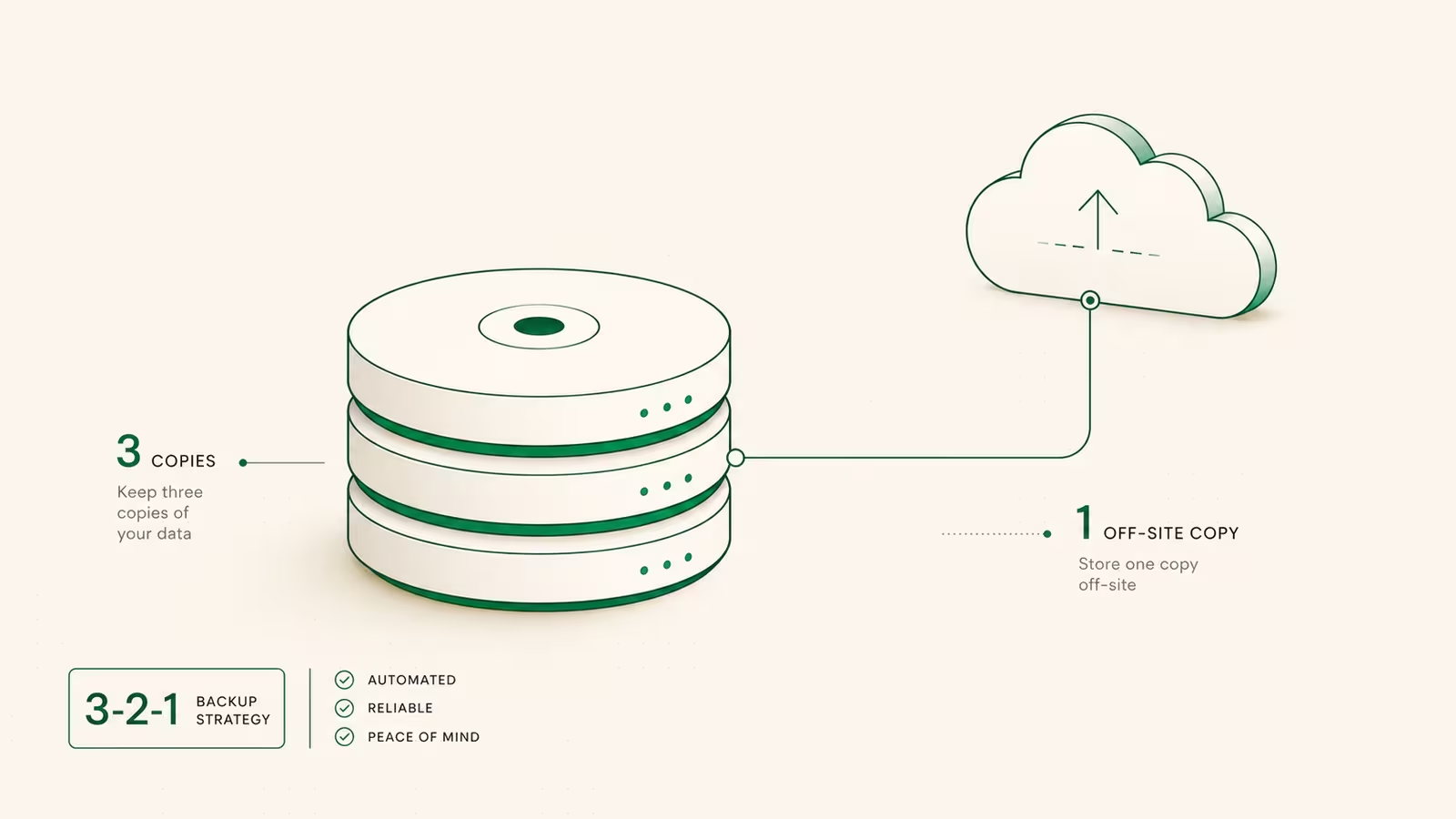
The reliable way to back up a Linux server in 2026 is the 3-2-1 rule: keep three copies of your data, on two kinds of storage, with one copy off-site, encrypted and automated so you never have to remember it. For a single VPS the shortest path that actually works is restic sending nightly, encrypted, deduplicated snapshots to cheap object storage like Backblaze B2 or a Hetzner Storage Box, with a database dump that runs first. The part nearly everyone skips, and the only part that matters the day a disk dies, is testing the restore. This guide walks the whole thing end to end: pick a tool, ship snapshots off-site, handle databases and Docker, automate it, and prove it restores.
What "backing up a Linux server" actually means
A backup is not a snapshot. Your host's daily VPS snapshot lives on the same provider, often the same rack, and vanishes if your account is suspended or the region has a bad day. A real backup is a separate, off-site copy you control. There are two layers worth protecting: your data (databases, /home, app volumes, /etc configs) and, optionally, a full system image for bare-metal recovery. For most single-server setups you do not need a full disk image — a rebuilt VPS with your data restored on top is faster and cheaper. What you must never lose is the data, and that is what the setup below targets. The guiding principle across every credible 2026 guide is the same 3-2-1 rule: three copies, two media types, one off-site. Everything else is implementation detail.
The 3-2-1 rule, applied to one VPS
On a single box the rule maps cleanly. Copy 1 is your live data on the server's disk. Copy 2 is a local snapshot on a second volume or your provider's block-storage snapshot — instant to restore, useless if the account dies. Copy 3 is an encrypted off-site copy in object storage or a storage box in a different company and country. That third copy is the one that survives a ransomware hit, a fat-fingered rm -rf, or a provider closing your account with no notice. Encrypt it before it leaves the machine so the storage provider never sees plaintext, and automate it so it runs whether or not you remember. If you only do one thing after reading this, set up Copy 3. Two local copies with no off-site copy is the most common way people discover, too late, that they had no backup at all.
Which Linux backup tool should you use?
The field narrows to a handful of tools, and the right pick depends on whether you want simple file mirroring or encrypted, deduplicated, cloud-native snapshots. For a VPS whose off-site target is object storage, restic is the pragmatic default: it encrypts and deduplicates by design and talks to S3, Backblaze B2, Azure, Google Cloud and SFTP with no extra tooling. BorgBackup is its closest rival, with excellent compression and dedup, but it needs a Borg-aware target (SSH or a storage box) rather than raw S3.
| Tool | Encryption | Dedup | Off-site target | Best for |
|---|---|---|---|---|
| restic | Built-in (AES) | Yes | S3, B2, Azure, GCS, SFTP | VPS → object storage |
| BorgBackup | Built-in (AES-256) | Yes | SSH / storage box | Servers with an SSH backup host |
| rsync | No (use SSH transport) | No | Any SSH/NAS target | Simple file mirrors |
| Timeshift | No | Snapshots | Local / same disk | Desktop-style system rollback |
| Veeam / Bacula | Yes | Yes | Enterprise repos | Fleets, bare-metal, compliance |
rsync is still perfect for a quick mirror to a NAS, but on its own it has no encryption or history — yesterday's mistake overwrites today's good copy. For one server backed up to the cloud, restic wins on the fewest moving parts.
The fastest reliable setup: restic to off-site object storage
Here is the whole off-site layer for a Ubuntu or Debian VPS. Create a Backblaze B2 bucket with an application key, then install and initialize an encrypted restic repository:
sudo apt install restic          # or: dnf install restic
export RESTIC_REPOSITORY="s3:s3.us-west-004.backblazeb2.com/your-bucket"
export AWS_ACCESS_KEY_ID="<b2-keyID>"
export AWS_SECRET_ACCESS_KEY="<b2-applicationKey>"
export RESTIC_PASSWORD="<a-long-random-passphrase>"   # store this OFF the server
restic init
Then a single command backs up your important paths, encrypted and deduplicated before anything leaves the box:
restic backup /etc /home /var/www /srv --exclude /var/www/cache
Run it twice and the second run finishes in seconds — restic only uploads changed chunks. Save RESTIC_PASSWORD somewhere off the server (a password manager); without it the repository is unrecoverable by design, which is exactly the property that makes it safe in someone else's cloud. This is the pattern we reach for on our own infrastructure: we run TechRiseUps through WaseerHost, and an encrypted off-site repo like this is the backstop behind every box.
Don't forget databases and Docker volumes
This is where most file-level backups quietly fail. Copying a live database's data directory while it is being written produces a corrupt, unrestorable file. Dump the database to a flat file first, then let restic pick up the dump. For Postgres, run pg_dump (or pg_dumpall for every database and roles); for MySQL or MariaDB, mysqldump --single-transaction. A one-line pre-backup step handles it:
pg_dumpall -U postgres | gzip > /srv/backups/db-$(date +%F).sql.gz
Docker adds the same trap: the important state lives in named volumes, not the container. Either dump the database inside the container the same way, or stop the stack briefly with docker compose down, back up the volume directory, and bring it back up. If you self-host a stateful app, our Supabase self-hosting guide walks through which Postgres and storage paths actually need protecting. The rule is simple: back up a consistent copy, never a live one.
Automate it: a nightly systemd timer
A backup you run by hand is a backup you will forget. Wrap the dump-plus-restic sequence in a small script and drive it with a systemd timer (cleaner than cron, with logs in journalctl). Create /etc/systemd/system/backup.service pointing at your script, then a timer:
# /etc/systemd/system/backup.timer
[Timer]
OnCalendar=*-*-* 03:30:00
Persistent=true

[Install]
WantedBy=timers.target
Enable it with systemctl enable --now backup.timer. Add retention so the repo does not grow forever — restic's forget/prune policy keeps a sensible ladder and deletes the rest:
restic forget --keep-daily 7 --keep-weekly 4 --keep-monthly 6 --prune
Persistent=true matters: if the server was off at 03:30, the job runs at next boot instead of silently skipping. Pair this with a locked-down server — our secure-first-hour VPS guide covers the firewall and SSH hardening that keep the backup host itself from becoming the breach.
What off-site backups actually cost in 2026
Off-site backup is one of the cheapest insurance policies in tech. Object storage is billed per gigabyte, and a typical VPS holds only tens of gigabytes of real data after dedup and compression.
| Option | Price (2026) | Egress | Notes |
|---|---|---|---|
| Backblaze B2 | $6.95 / TB / mo | Free up to 3× stored, then $0.01/GB | First 10 GB free; native restic target |
| Hetzner Storage Box | A few euros / mo for 1 TB | Included | BorgBackup + rsync over SSH |
| AWS S3 | ~$23 / TB / mo | $0.09/GB | Egress adds up fast on restore |
For a server with 30 GB of deduplicated snapshots, Backblaze B2 costs well under a dollar a month, and because B2 gives free egress up to three times your stored size, a full restore usually costs nothing. That is the number to weigh against the alternative: rebuilding a lost database from memory. If you are cost-tuning your whole stack, the same "watch the egress" logic drives our cloud egress fees breakdown.
Test the restore — the step everyone skips
An untested backup is a hope, not a backup. The only way to know your setup works is to restore from it before you need to. With restic, verify the repository's integrity and then restore a snapshot into a scratch directory:
restic check                     # verify repository integrity
restic snapshots                 # list what you have
restic restore latest --target /tmp/restore-test
Diff the restored files against the originals, confirm a database dump actually imports into a throwaway database, then delete the scratch copy. Do this the day you set it up, and again whenever you change what you back up. You can also restic mount /mnt/restic to browse snapshots like a normal filesystem and pull back a single file. Put a restore drill on the calendar every quarter. The failure mode that ends companies is not "we had no backups"; it is "we had backups, and none of them restored."
Frequently asked questions
What is the best backup tool for Linux?
For a single server backing up to the cloud, restic is the best default in 2026: it encrypts and deduplicates automatically and writes straight to S3, Backblaze B2 or SFTP. BorgBackup is an equally strong choice when your target is an SSH host or a Hetzner Storage Box. Use rsync only for simple mirrors where you do not need encryption or history.
How do I back up an entire Ubuntu server?
Back up your data (databases dumped to files, plus /etc, /home, and app directories) with restic or Borg to an off-site repository, and automate it with a systemd timer. A full bare-metal image is rarely worth it for a VPS — rebuilding the OS and restoring data on top is faster. If you do want a full image, tools like Timeshift or a provider snapshot cover the system layer.
How do I back up a Linux server to a NAS?
Point the same tools at the NAS instead of the cloud. rsync over SSH mirrors files to an exported share; restic and Borg can write to the NAS over SFTP for encrypted, versioned backups. Treat the NAS as Copy 2 (local) and still keep an encrypted off-site Copy 3, because a fire, theft, or ransomware hit takes the NAS and the server together.
How do I back up a whole server for bare-metal recovery?
For full-system recovery you need a system image, not just files. Clonezilla creates a bootable disk image, and Veeam Agent for Linux or Bacula handle application-consistent bare-metal backups for fleets. For one VPS, the pragmatic path is to script your server build (or use Coolify or Ansible) so rebuilding is a five-minute job, then restore your data backup on top.
Sources
- Backblaze — B2 Cloud Storage pricing: $6.95/TB/month, free egress up to 3× stored, then $0.01/GB.
- Hetzner — Storage Box: 1 TB+ boxes supporting BorgBackup and rsync over SSH.
- restic documentation: encryption, deduplication, supported backends, and snapshot handling.
- restic — Removing snapshots (forget/prune): retention policy flags.
- LinuxTeck — Best Linux Server Backup Solutions 2026: the 3-2-1 rule and tool comparison.
Some links may earn us a commission at no extra cost to you.

Waqas Ahmed Waseer
Waqas Ahmed Waseer is a developer and automation builder with 8+ years shipping production systems used by 100k+ people. He builds custom multi-tenant SaaS, AI automation (n8n, LLM workflows, WhatsApp bots) and hosting infrastructure (WHM/cPanel, CloudLinux) — and is the maker of WaSphere, FlowMaticX, and the WaseerHost hosting brand. 100+ projects delivered for SMBs, agencies and funded startups.