To set up Tailscale, sign in at Tailscale with a Google, Microsoft, GitHub or Apple account to create your private network, install the client on each machine, run sudo tailscale up, and every device gets a fixed 100.x.x.x address it can reach from anywhere. That is the whole quickstart, and for connecting your own laptop and phone it genuinely takes five minutes. The part the beginner guides skip is the interesting part: pointing Tailscale at a VPS, a home server, or a rack of Docker containers so you can reach SSH, databases and admin panels privately, without opening a single port to the public internet. This guide covers the fast setup, then the server-side features — subnet routers, Tailscale SSH, ACLs — that make it worth running in 2026.
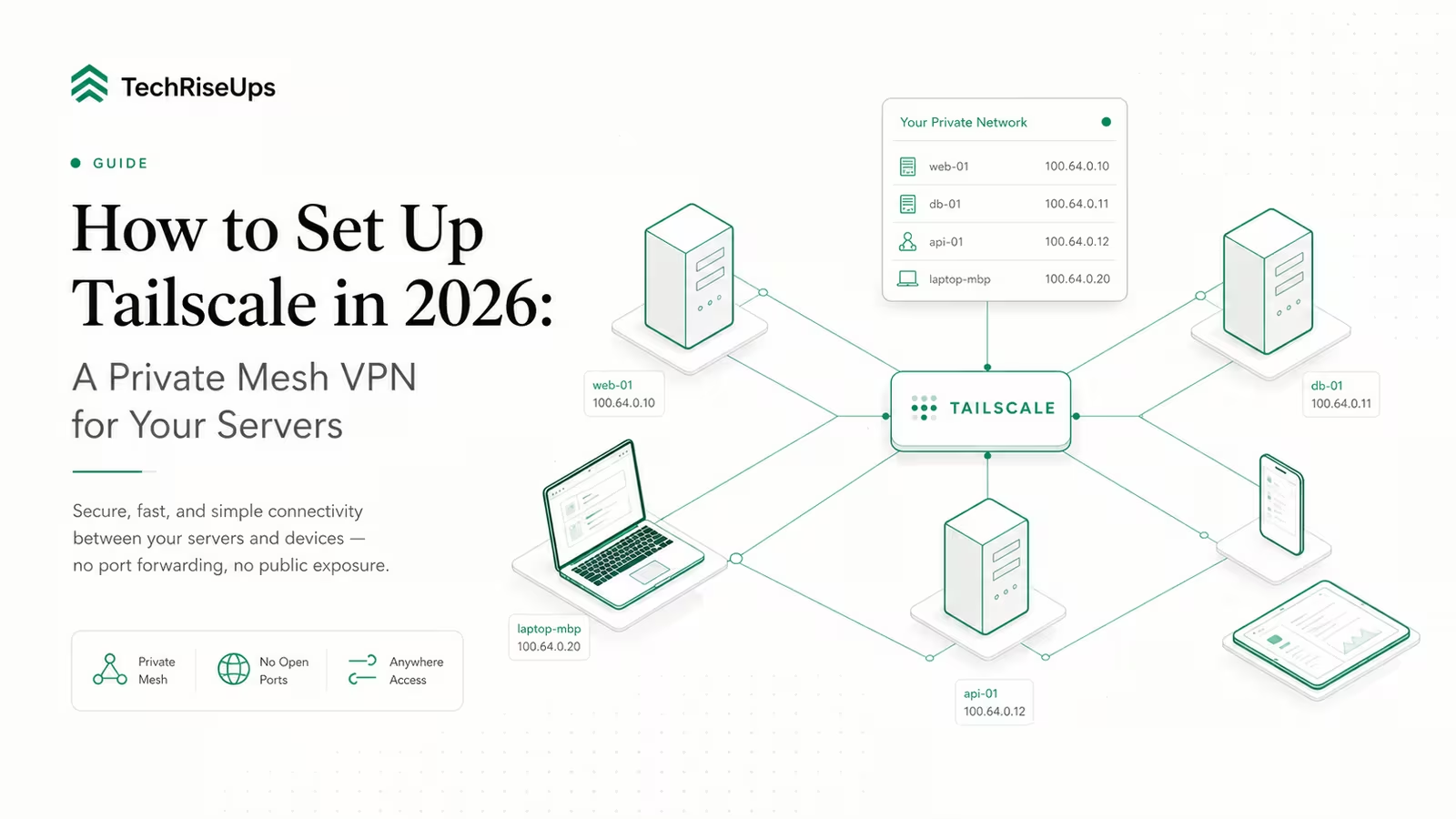
Tailscale is a mesh VPN built on the open-source WireGuard protocol, which creates encrypted point-to-point connections so only devices on your private network can talk to each other. It is a real VPN, but not the "route my traffic through one server in another country" kind. Instead it builds a flat private network — a tailnet — across all your devices, wherever they physically sit, and hands each one a stable IP in the 100.x.x.x range. Nothing is exposed to the wider internet; a machine is reachable only by other machines you have added to the same tailnet.
How to set up Tailscale: the 5-minute quickstart
The setup flow is the same on every platform: create the network once, then join each device to it.
-
Create your tailnet. Go to login.tailscale.com/start and sign in with an identity provider (Google, Microsoft, GitHub or Apple). That single sign-in creates your tailnet — there is no separate account or password to manage.
-
Install the client on your first machine. On Linux, the official one-liner handles every major distro:
curl -fsSL https://tailscale.com/install.sh | shOn macOS, Windows, iOS and Android, download the app from tailscale.com/download instead.
-
Connect the device. Run
sudo tailscale up. It prints a URL; open it, authenticate with the same account, and the machine joins your tailnet with its own100.x.x.xIP. -
Add more devices. Repeat on your other machines — always signing in with the same account. Check the result with
tailscale status(lists every device) andtailscale ip -4(shows this machine's address).
From this point any device can reach any other by its Tailscale IP, or by name if you enable MagicDNS, from any network on earth, encrypted end to end. For a phone-and-laptop setup that is the finish line. For servers, keep going.
Connect a whole server or network with a subnet router
Installing the client on every device is fine for three laptops. It does not scale to a home lab full of IoT gadgets or a VPS running a dozen services on a private subnet. A subnet router solves this: one machine on the network advertises a route, and every device in your tailnet can then reach that entire subnet through it, without Tailscale installed on each box.
On the machine that will act as the router, first enable IP forwarding, then advertise the routes, per Tailscale's subnet-router guide (updated January 2026):
echo 'net.ipv4.ip_forward = 1' | sudo tee -a /etc/sysctl.d/99-tailscale.conf
echo 'net.ipv6.conf.all.forwarding = 1' | sudo tee -a /etc/sysctl.d/99-tailscale.conf
sudo sysctl -p /etc/sysctl.d/99-tailscale.conf
sudo tailscale set --advertise-routes=10.0.0.0/24
Then open the Machines page in the admin console, find the router device, and approve its advertised routes under Subnets. After that, every device in your tailnet can reach anything on 10.0.0.0/24 as if it were on the same LAN. This is the trick that pairs Tailscale with a self-hosted stack: put the router on your VPS and you reach every internal container by its private address, with nothing published to the open internet.
Replace SSH keys with Tailscale SSH
Tailscale can also take over SSH authentication, so you stop managing authorized_keys files across servers. Run this once on each host, per Tailscale's SSH docs (validated January 2026):
sudo tailscale set --ssh
This generates a host key, registers it with the control plane, and makes tailscaled intercept tailnet traffic to port 22. Connections are then authenticated by Tailscale identity and encrypted over WireGuard using node keys — no SSH keypair to copy around, and access is governed by your tailnet's ACL rules rather than by who happens to hold a private key. One caveat worth knowing before you run it: enabling it will make any existing SSH session to that machine's Tailscale IP hang, so do it from the console or expect to reconnect.
Lock it down before you leave it running
A fresh personal tailnet is permissive by default: every device can reach every other device. That is convenient and completely fine for a solo setup, but you should tighten it before adding other people or exposing servers.
- MagicDNS gives every device a name (like
vpsornas) instead of a bare IP — turn it on in the admin console so your commands and configs read cleanly. - ACLs are the real control. Tailscale's policy file lets you write rules like "laptops may reach the database server on port 5432, phones may not." Move servers behind tags (for example
tag:server) and grant access to the tag, not to individuals, so the rules survive people joining and leaving. - Key expiry and device approval stop a lost or stale machine lingering on your network forever. Leave key expiry on, and enable device approval if more than one person uses the tailnet.
It is safe to leave Tailscale running full time — that is the intended use, and an idle tailnet carries no exposure because nothing is published publicly. The risk is not uptime; it is an over-broad ACL, which is what the two minutes above fix.
Tailscale vs Cloudflare Tunnel: which should you use?
Both let you reach a self-hosted service without opening ports, but they solve different problems, and plenty of setups use both. Tailscale builds a private network only your devices can join. Cloudflare Tunnel publishes a service to the public web over Cloudflare's edge. Use Tailscale for anything that should stay private — SSH, databases, admin dashboards, internal tools. Use a tunnel for anything the public is meant to see, like a website or a public API.
| Tailscale | Cloudflare Tunnel | |
|---|---|---|
| Access model | Private mesh — your devices only | Public HTTPS to the internet |
| Who can reach it | Only devices on your tailnet | Anyone with the URL (unless you add Access) |
| Client needed | Yes, on each device | No, works in any browser |
| Best for | SSH, databases, admin panels, dev | Public sites, APIs, webhooks |
| Underlying tech | WireGuard mesh | Cloudflare edge proxy |
| Cost to start | Free (Personal) | Free |
A common pattern is a tunnel for the public front end and Tailscale for the private back office of the same VPS. If you are still deciding between a mesh VPN and a traditional gateway, our breakdown of zero trust vs VPN in 2026 covers the trade-offs in more depth. For the Docker-Compose version of the public side, see how to run Cloudflare Tunnel in Docker.
Is Tailscale free, and when do you actually pay?
For most self-hosters, Tailscale is free indefinitely. On April 8, 2026 Tailscale overhauled its plans: the free Personal tier now covers up to six users with unlimited user devices (laptops, phones, tablets) and 50 tagged resources — a jump from the old cap of three users and 100 devices. "Tagged resources" means servers, subnet routers and service accounts; beyond the first 50 they cost about $1/month each. Paid plans exist mainly for teams that need SSO provisioning, more ACL groups and audit logging.
| Plan | Price (2026) | Users | Tagged resources | Best for |
|---|---|---|---|---|
| Personal | Free | Up to 6 | 50, then ~$1/mo each | Homelabs, solo devs, small teams |
| Standard | $8/user/mo | Unlimited | Higher limits + SCIM | Growing teams needing SSO |
| Premium | $18/user/mo | Unlimited | Up to 300 ACL groups, flow logs | Security-conscious orgs |
| Enterprise | Custom | Custom | Custom quotas | Large deployments |
For a solo developer running a VPS or two, you will almost certainly never leave the free tier. We run this site's own infrastructure through WaseerHost, our hosting company, and a private mesh over a handful of servers is squarely inside what Personal covers. If you are still choosing where to put those servers, our guide to setting up a VPS securely is the natural first step, and Tailscale is a strong second.
Frequently asked questions
Is Tailscale hard to set up? No — it is one of the easiest networking tools to start with. You sign in with an existing account (no keys to generate), install a client, and run one command. The complexity only appears when you add server features like subnet routers, ACLs and Tailscale SSH, and even those are a few commands each rather than the manual key management raw WireGuard demands.
Is Tailscale free for personal use? Yes. Since April 2026 the free Personal plan covers up to six users, unlimited user devices, and 50 tagged resources (servers and subnet routers). That is enough for the vast majority of home labs and solo developers to run indefinitely without paying.
Is there anything better than Tailscale? It depends on what you value. If you want to avoid depending on Tailscale's coordination servers entirely, Headscale is an open-source, self-hosted implementation of the Tailscale control server that works with the official clients. NetBird and ZeroTier are other mesh options. For most people the hosted Tailscale free tier is simpler and gives up little.
Can you leave Tailscale on all the time? Yes, and that is how it is meant to run. Because your tailnet exposes nothing to the public internet, leaving it connected does not create an attack surface the way an open port would. The thing to keep tidy is your ACL policy, not the uptime.
Does Tailscale replace my firewall or SSH keys? It can replace SSH keys via Tailscale SSH, which authenticates by identity instead of a keypair. It complements rather than replaces a firewall: a good pattern is to close public SSH at the firewall entirely and reach the box only over the tailnet.
Sources
- Tailscale — What is Tailscale?: WireGuard-based encrypted mesh and the tailnet concept.
- Tailscale — Subnet routers (updated Jan 2026): IP-forwarding and
--advertise-routessteps. - Tailscale — Tailscale SSH (validated Jan 2026):
tailscale set --sshbehaviour and ACL requirement. - Tailscale — Pricing update, April 8 2026: the plan overhaul and new tier structure.
- PBX Science — Tailscale free plan now six users, unlimited devices: free-tier limits and tagged-resource overage pricing.
- Headscale (juanfont/headscale): open-source self-hosted Tailscale control server.
Some links may earn us a commission at no extra cost to you.

Waqas Ahmed Waseer
Waqas Ahmed Waseer is a developer and automation builder with 8+ years shipping production systems used by 100k+ people. He builds custom multi-tenant SaaS, AI automation (n8n, LLM workflows, WhatsApp bots) and hosting infrastructure (WHM/cPanel, CloudLinux) — and is the maker of WaSphere, FlowMaticX, and the WaseerHost hosting brand. 100+ projects delivered for SMBs, agencies and funded startups.