Claude Code MCP support turns Anthropic's terminal coding agent into a client that can reach your real tools (GitHub, Sentry, a Postgres database, a Figma file) instead of working from whatever you paste into the chat. You connect a Model Context Protocol (MCP) server with a single claude mcp add command, pick a scope, and Claude can read and act on that system directly. This guide covers how to add local and remote servers, the three scopes, how authentication works, what MCP actually costs your context window, and how to avoid getting burned by an untrusted server. We run this publishing pipeline on Claude Code with DataForSEO wired in as an MCP server, so the commands below are the ones we use daily, checked against Anthropic's official reference.
What is MCP in Claude Code, and why use it?
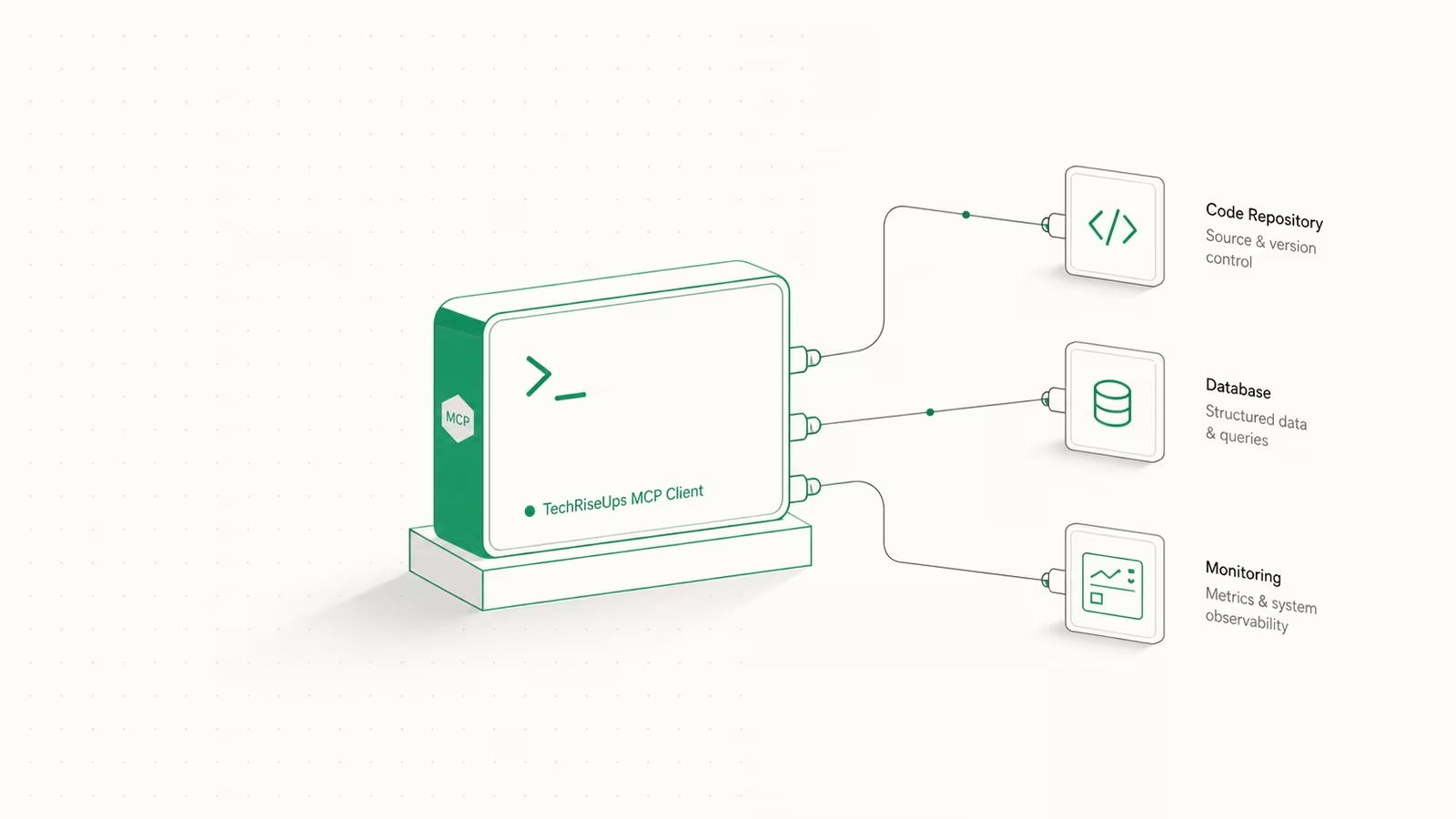
The Model Context Protocol is an open standard for connecting AI tools to external systems. Claude Code acts as an MCP client: it connects to MCP servers, and each server exposes a set of tools (actions Claude can call) and resources (data Claude can read). The practical trigger for connecting one, per Anthropic's docs, is simple: the moment you find yourself copying data into the chat from an issue tracker, a monitoring dashboard, or a database, that system should probably be an MCP server instead. Once connected, you can ask things like "add the feature described in JIRA issue ENG-4521 and open a PR on GitHub" and Claude works across both systems in one turn. If the concept itself is new to you, start with our plain-English guide to MCP servers, and if you want to write your own, see our guide to building an MCP server. This piece assumes you know what a server is and want to wire one into Claude Code.
How to add an MCP server to Claude Code
There are three transports, and the one you pick depends on where the server runs. For remote (cloud) servers, HTTP is the recommended, most widely supported option:
# Remote HTTP server (recommended for cloud services)
claude mcp add --transport http notion https://mcp.notion.com/mcp

# With a bearer token in a header
claude mcp add --transport http github https://api.githubcopilot.com/mcp/ \
  --header "Authorization: Bearer YOUR_GITHUB_PAT"
The older SSE (Server-Sent Events) transport still works but is deprecated, so use HTTP where a server offers both: claude mcp add --transport sse asana https://mcp.asana.com/sse.
For a local server that runs as a process on your machine (the stdio transport), the command is separated from Claude's own flags by a double dash:
# Local stdio server: everything after -- runs the server
claude mcp add --transport stdio my-server -- npx -y some-mcp-server
Everything after -- is passed to the server untouched, so --env, --transport, and --scope belong before it. One gotcha worth knowing: claude mcp add saves the configuration without validating credentials, so a bad token is accepted at add time and only shows up as a failed server when you run /mcp. Prefer JSON? claude mcp add-json <name> '{...}' takes a raw config object, and an entry with a url but no type field is treated as a stdio server and skipped, so always set "type": "http" for remote entries.
The three MCP scopes: local, project, and user
Scope decides which projects a server loads in and whether your team gets it too. This is the part people most often get wrong.
| Scope | Available in | Shared with team? | Stored in |
|---|---|---|---|
| Local (default) | Current project only | No | ~/.claude.json |
| Project | Current project only | Yes, via version control | .mcp.json in project root |
| User | All your projects | No | ~/.claude.json |
Local scope is the default and stays private to you. Use --scope project to write the server into a .mcp.json file at the repo root that you commit to git, so every teammate gets the same tools:
claude mcp add --transport http paypal --scope project https://mcp.paypal.com/mcp
Use --scope user for personal utilities you want everywhere. When the same server name is defined in more than one place, local wins over project, which wins over user, and the whole entry from the highest-precedence source is used with no field merging. A big convenience for teams: .mcp.json supports environment-variable expansion, so you can commit "Authorization": "Bearer ${API_KEY}" and let each machine supply its own secret, with ${VAR:-default} for fallbacks.
Managing, inspecting, and importing servers
Once servers exist, a handful of commands cover day-to-day work:
claude mcp list— show every configured server and its statusclaude mcp get <name>— inspect one server's full configclaude mcp remove <name>— delete it/mcp— inside a session, view connections, tool counts, and run OAuth sign-inclaude mcp add-from-claude-desktop— import servers you already set up in the Claude desktop app
Project-scoped servers from .mcp.json don't connect automatically. For safety, Claude Code holds them at ⏸ Pending approval until you open the project interactively and accept the workspace trust dialog, so a cloned repo can't silently approve its own servers. If you ever need to redo those choices, claude mcp reset-project-choices clears them.
Authentication: OAuth without juggling API keys
Most cloud MCP servers need auth, and Claude Code speaks OAuth 2.0. When a server returns a 401 or 403, it gets flagged in the /mcp panel; pick it, complete the browser sign-in once, and Claude Code stores and refreshes the token for you. "No API keys to manage or credentials to store," as Anthropic put it when it shipped remote MCP support in June 2025. From version 2.1.186 on, you can also authenticate straight from your shell with claude mcp login <name> instead of opening a session. Servers that authenticate by static token (like GitHub's, above) skip OAuth entirely and read the header you passed.
What MCP servers actually cost your context window
Here is the question the ranking pages skip: does loading a pile of MCP servers bloat Claude's context and slow it down? It used to. Now Claude Code ships with tool search enabled by default, which defers each server's tool definitions until Claude actually needs them, so only tool names and short server instructions load at session start. Per Anthropic's docs, that means adding more servers has minimal impact on your context window, and there's no fixed per-server tool cap; your real limit is your context budget. The other lever is output: Claude Code warns when a single MCP tool response exceeds 10,000 tokens and caps it at 25,000 by default. If a legitimately large query keeps getting truncated, raise it with MAX_MCP_OUTPUT_TOKENS=50000, but treat a chronically noisy server as a smell, because a tool that dumps 40,000 tokens per call is usually the wrong tool.
Are MCP servers safe? Trust and prompt injection
An MCP server runs code and, in the stdio case, runs it on your machine with your environment. Anthropic's own guidance is blunt: verify you trust each server before connecting it, because any server that fetches external content can expose you to prompt injection, where a malicious issue, webpage, or database row quietly instructs the agent to exfiltrate data or run a destructive command. Three habits keep this sane. First, prefer official, first-party servers (the vendor's own endpoint) and reviewed listings in the Anthropic Directory over random GitHub repos. Second, keep secrets out of committed .mcp.json by using ${ENV_VAR} expansion, never hard-coded tokens. Third, treat the project-approval prompt as a real gate, not a nuisance, since it exists precisely so a teammate's compromised .mcp.json can't auto-run against your credentials.
When you should not add an MCP server
MCP is not free of cost. Every server is another moving part, another credential, another trust decision. If Claude Code's built-in file, bash, and web tools already do the job, adding a server just to run git or read a file is overhead. Reach for MCP when a system is genuinely external and stateful (your issue tracker, your error monitor, your production database, your design files), and skip it when a one-line shell command or an existing tool already answers the question.
FAQ
Where is the Claude Code MCP config file?
It depends on scope. Project-scoped servers live in a .mcp.json file at your repository root (meant to be committed to git). Local- and user-scoped servers are stored in ~/.claude.json in your home directory. Note that MCP "local scope" is separate from Claude Code's general .claude/settings.local.json settings file.
How do I list the MCP servers in Claude Code?
Run claude mcp list from your terminal to see every configured server and its connection status, or claude mcp get <name> for one server's full details. Inside a session, type /mcp to see connections, per-server tool counts, and any servers awaiting OAuth sign-in.
Is MCP free in Claude Code? The MCP feature itself is built into Claude Code at no extra charge, and many servers (filesystem, GitHub, Postgres) are free open-source projects. You still pay for whatever the server connects to (a paid API behind it, or a SaaS subscription), and MCP tool calls consume tokens like any other context.
Do MCP servers slow Claude Code down? Not the way they once did. Tool search is on by default and defers tool definitions until they're needed, so adding servers has little effect on your context window. The bigger drag is a single server returning huge outputs; watch for the 10,000-token warning and prune noisy tools.
What's the difference between a local and a remote MCP server?
A local (stdio) server runs as a process on your own machine and is added with a command after --; a remote server runs in the cloud and is added over HTTP (or the deprecated SSE) with a URL. Remote servers support OAuth and are lower-maintenance since the vendor handles updates and scaling, while local servers give you full control and keep data on your machine.
Sources
- Claude Code — Connect Claude Code to tools via MCP (Anthropic docs) — exact
claude mcp addsyntax, transports, the three scopes,.mcp.jsonformat, tool search, and output limits - Anthropic — Remote MCP support in Claude Code — OAuth for remote servers, tools vs resources, June 2025 launch
- Model Context Protocol — Introduction — the open standard behind MCP clients and servers
- Anthropic Directory — reviewed connectors you can add with
claude mcp add
Some links may earn us a commission at no extra cost to you.

Waqas Ahmed Waseer
Waqas Ahmed Waseer is a developer and automation builder with 8+ years shipping production systems used by 100k+ people. He builds custom multi-tenant SaaS, AI automation (n8n, LLM workflows, WhatsApp bots) and hosting infrastructure (WHM/cPanel, CloudLinux) — and is the maker of WaSphere, FlowMaticX, and the WaseerHost hosting brand. 100+ projects delivered for SMBs, agencies and funded startups.