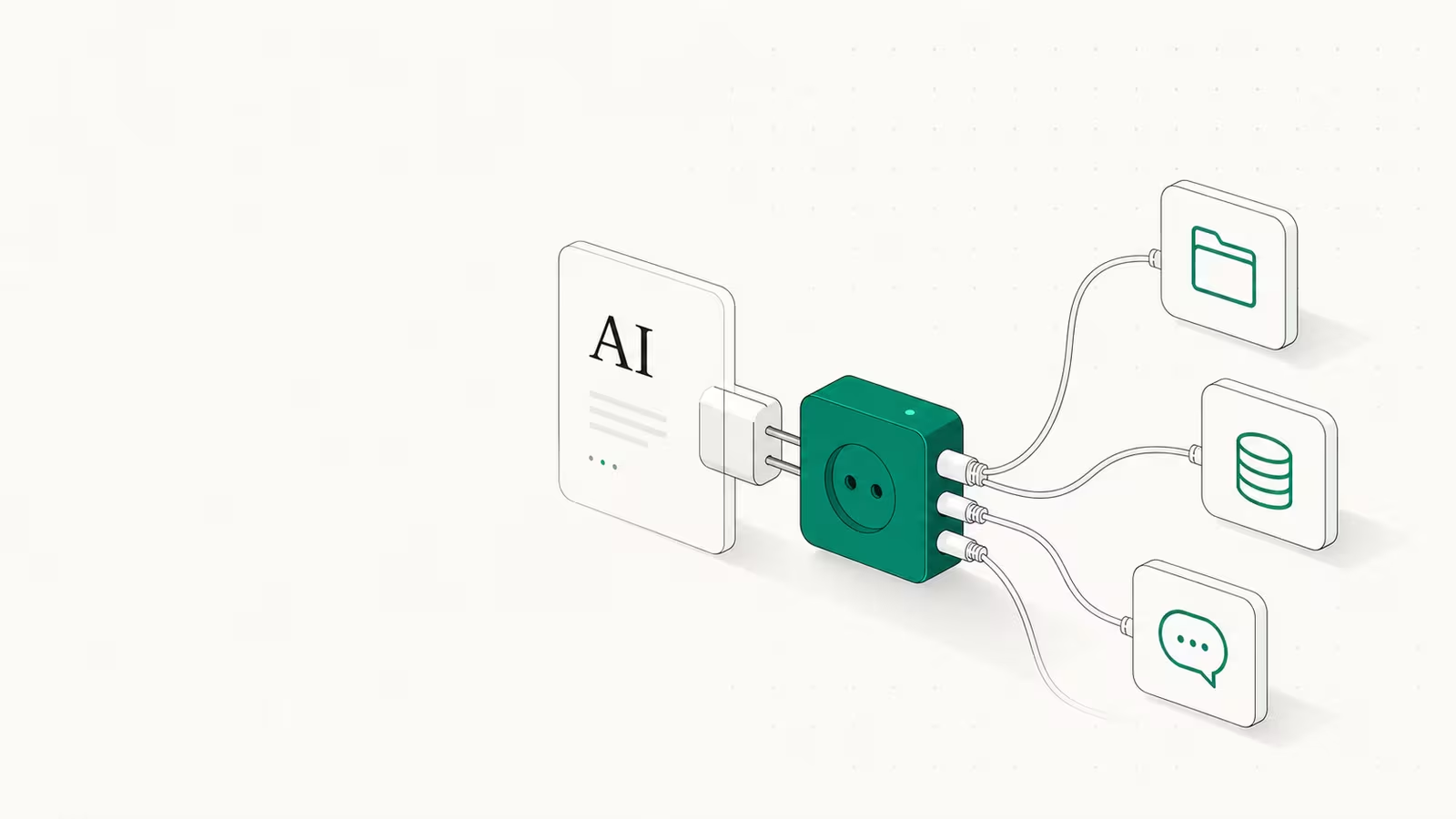
An MCP server is a small program that gives an AI model a standard way to reach one outside system, such as your files, a database, GitHub, Slack, or a search API, so the model can read data and take actions without a bespoke integration built for each tool. MCP stands for Model Context Protocol, an open standard Anthropic released on November 25, 2024 that has since become the default way AI apps like Claude, ChatGPT, and Cursor plug into the rest of your software. The short version: an MCP server turns every AI-to-tool connection from a one-off coding project into something closer to a plug.
What is an MCP server?
An MCP server is the "tool side" of the Model Context Protocol. The protocol splits any AI integration into three roles: the host (the AI app you use, like Claude Desktop or Cursor), the client it runs to speak the protocol, and the server, a program that exposes some capability, such as querying Postgres or creating a GitHub issue. The problem it solves is old and boring: before MCP, connecting M AI apps to N data sources meant building M times N custom integrations, each one brittle and unique. MCP replaces that with a single standard, so you write the connection once and any compatible AI can use it. People often call it a "USB-C port for AI" because the same socket fits many devices. The server does the actual work; the AI just discovers what is available and asks for it.
The three things every MCP server exposes
An MCP server offers capabilities through three building blocks, and the difference between them is really about who is in control. This is the part most people skip, and it is the part that matters when you build or debug one.
| Primitive | What it is | Who controls it | Example |
|---|---|---|---|
| Tools | Functions the model can call to do something | The model decides when to call | Run a SQL query, send a message, create a calendar event |
| Resources | Read-only data the app can pull in for context | The application | File contents, a database schema, API docs |
| Prompts | Reusable templates that guide a workflow | The user (explicit invocation) | "Plan a vacation", "Summarize my meetings" |
Tools are the headline act. Each one is a schema-defined function with typed inputs and outputs, described in plain language so the model can decide, on its own, when to reach for it. The model calls tools/list to see what exists, then tools/call to run one. Resources are passive data the host reads for context, and prompts are pre-built templates a user triggers on purpose. A single server can offer all three, and a host can connect to many servers at once, mixing a database server, a Slack server, and a filesystem server in one conversation.
MCP server vs API: the real difference
This is the most common question, and the honest answer is that MCP does not replace APIs, it sits on top of them. An API is built for a human developer who reads docs and writes code to call fixed endpoints. An MCP server is built for a model that discovers what is available at runtime and decides what to call, in plain language, with a human able to approve or deny each action.
| Traditional API | MCP server | |
|---|---|---|
| Who calls it | A developer's code | The AI model, at runtime |
| Discovery | Read docs, hardcode endpoints | Self-describing (tools/list) |
| Integration cost | M x N custom builds | Write once, any client reuses |
| Interface | REST / GraphQL endpoints | Tools, resources, prompts over JSON-RPC |
| Decides the call | Your program | The model, ideally with human approval |
Under the hood an MCP server usually just wraps existing APIs. The value is not a new transport, it is a consistent, self-describing surface an AI can navigate without you writing glue code for every service. That is also why MCP and APIs coexist rather than compete.
What people actually use MCP servers for
The practical examples are unglamorous and useful: a filesystem server so an assistant can read a project folder, a Postgres or database server for live queries, a GitHub server to open pull requests, a Slack server to post updates, and a browser or search server so the model can pull fresh information. Anthropic and the community publish open-source reference servers for many of these, and public registries now list tens of thousands more.
We run MCP servers as part of building this site, so this is a firsthand example rather than a hypothetical. The keyword and live-SERP data behind this very article came through a DataForSEO MCP server running inside Claude Code: the model called a keyword_overview tool, got structured search-volume and difficulty numbers back, and used them to pick the topic, all without anyone pasting API responses by hand. That is the whole pitch in miniature. The same pattern powers the AI coding assistants we compared, which act as MCP hosts, and the agentic automation tools like n8n and Make that increasingly ship MCP support so their workflows can call the same tools an AI does.
How to set up your first MCP server
You rarely build one from scratch to start. The fastest path:
- Pick a host that speaks MCP — Claude Desktop, Cursor, Windsurf, or Claude Code all qualify.
- Choose a pre-built server from the official repository or a registry (filesystem, GitHub, and Postgres are good first picks).
- Add it to the host's config — typically a small JSON entry naming the command to launch the server and any credentials it needs. Locally, servers run over stdio (the host starts the process directly); remote servers use HTTP so they can live in the cloud.
- Restart the host and check the tool list — if the server registered, its tools show up and the model can call them.
- Approve the first few calls manually so you can see exactly what it does before you trust it.
Building your own is a step up but not huge: the official SDKs (TypeScript, Python, and others) let you declare a tool, its input schema, and a handler function, and the protocol layer handles discovery and transport. If you can write an API endpoint, you can write a tool.
The security risks most guides skip
Here is the section the vendor explainers tend to gloss over. Giving a model the ability to act on your systems is exactly as dangerous as it sounds, and MCP's convenience cuts both ways. A March 2025 scan by the security firm Equixly found that 43% of the MCP server implementations it tested had command-injection flaws, 22% allowed path traversal, and 30% permitted server-side request forgery, on a protocol that uses no authentication by default. The signature MCP-specific attack is tool poisoning: a malicious server ships a tool whose description or output hides instructions the model then treats as trusted, a form of indirect prompt injection. Because the model reads tool descriptions in plain language to decide what to use, that text is an attack surface.
Three defenses matter most. Only install servers you trust, and read what their tools actually do. Keep a human in the loop for anything destructive or irreversible, which the specification explicitly recommends. And on the server side, use proper authentication, validate every input, and give each server the narrowest permissions it needs rather than broad access to everything. Convenience is not a reason to skip the boring controls.
Where MCP is heading in 2026
What started as one company's standard is now the industry's. OpenAI adopted MCP in March 2025 across its products including the ChatGPT desktop app, and Google added support for its own services during 2025. In December 2025 Anthropic donated MCP to a Linux Foundation project co-founded with Block and OpenAI, moving it out of any single vendor's hands. Adoption numbers back the hype: as of Anthropic's December 2025 ecosystem update, MCP had passed 97 million monthly SDK downloads across Python and TypeScript, with more than 10,000 active public servers. One caveat worth keeping in mind: research and practitioners note that exposing too many tools to a model degrades its ability to pick the right one, so more servers is not automatically better. The winning setup in 2026 is a small set of trusted, well-scoped servers, not a junk drawer of them.
FAQ
Does ChatGPT use MCP? Yes. OpenAI adopted the Model Context Protocol in 2025 and supports it across products including the ChatGPT desktop app, so ChatGPT can connect to MCP servers much as Claude and Cursor do. MCP is deliberately model-agnostic, which is a big reason it spread so fast.
What is the difference between REST and MCP? REST is a style for building web APIs that human-written code calls at fixed endpoints. MCP is a protocol designed for AI models to discover and call tools at runtime, in plain language, with human approval. An MCP server often wraps a REST API underneath, so they complement each other rather than compete.
Is MCP just JSON? Not quite. MCP uses JSON-RPC 2.0 for its messages, so the wire format is JSON, but the protocol is the set of rules on top: how tools, resources, and prompts are described, discovered, and invoked, and how the host, client, and server talk. The JSON is the envelope, not the standard.
What is the difference between an API and an MCP server? An API exposes endpoints for developers to integrate by writing code. An MCP server exposes tools, resources, and prompts that an AI model discovers and uses on its own, ideally with a human approving sensitive actions. In practice an MCP server is a thin, AI-friendly layer over one or more APIs.
Sources
- Anthropic — Introducing the Model Context Protocol: launch date (Nov 25, 2024), the M x N integration problem, and early adopters.
- Model Context Protocol — Understanding MCP servers: the tools, resources, and prompts primitives, who controls each, and how discovery works.
- Wikipedia — Model Context Protocol: OpenAI and Google adoption timeline and the Linux Foundation donation.
- DigitalApplied — MCP Adoption Statistics 2026: the 97M+ monthly SDK downloads and 10,000+ servers from Anthropic's December 2025 update.
- Equixly — MCP Servers: The New Security Nightmare: the March 2025 scan reporting 43% command-injection, 22% path-traversal, and 30% SSRF rates.
- OWASP — MCP Tool Poisoning: the tool-poisoning / indirect prompt-injection attack.
Some links may earn us a commission at no extra cost to you.

Waqas Ahmed Waseer
Waqas Ahmed Waseer is a developer and automation builder with 8+ years shipping production systems used by 100k+ people. He builds custom multi-tenant SaaS, AI automation (n8n, LLM workflows, WhatsApp bots) and hosting infrastructure (WHM/cPanel, CloudLinux) — and is the maker of WaSphere, FlowMaticX, and the WaseerHost hosting brand. 100+ projects delivered for SMBs, agencies and funded startups.